
Fit Calculator
Development Wizard Case Study
Problem/Impetus
The Fit Calculator was my first “e-learning” development project, designed to demonstrate my proficiency with Articulate 360 Storyline while also encouraging me to reflect on my instructional design skills and experience. Although not a traditional e-learning course/module, its development provided me with ample opportunity to explore Storyline’s capabilities—from the basics to its more advanced tools and features.
Project Goals: Gain familiarity with the Articulate 360 Storyline platform; create custom interactions to test the possibilities of Storyline tools and features; learn/apply accessibility best practices; increase e-learning development comfort and efficiency.
Context
Relevant Information/Background:
- Created using a 30-day free trial of Articulate 360 Storyline (v3)
- Optimized for PC (but also accessible on mobile devices)
- Designed as a tool for recruiters/employers interested in evaluating the alignment between my skills and their instructional design needs
Plan/Solution
Step 1: Provide list of top instructional design skills
Compile a list of top instructional design skills (based on job descriptions and other research); visually organize skills by steps of the A.D.D.I.E. model to facilitate skill browsing/selection.
Step 2: Create two-step skill selection interaction
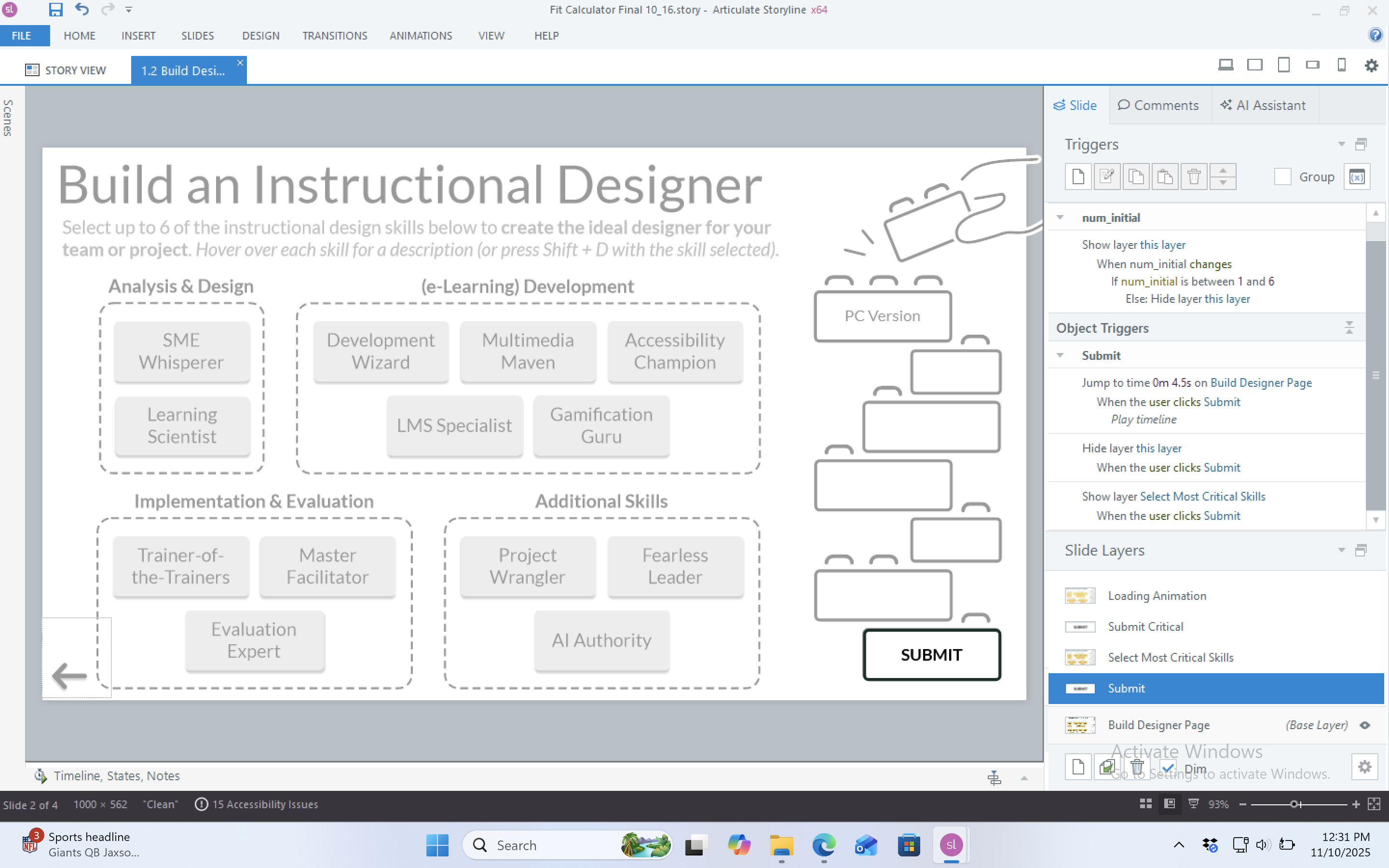
Allow users to build the ideal designer for their team/project by 1) selecting up to six skills needed for the role and 2) prioritizing which of the selected skills are most critical.
Step 3: Generate personalized results page
Calculate a percent match score based on user input and provide detailed results that highlight areas of alignment/misalignment; present results in a visually appealing, easy-to-digest format.
Process Highlights
Step 1: Identify top instructional design skills
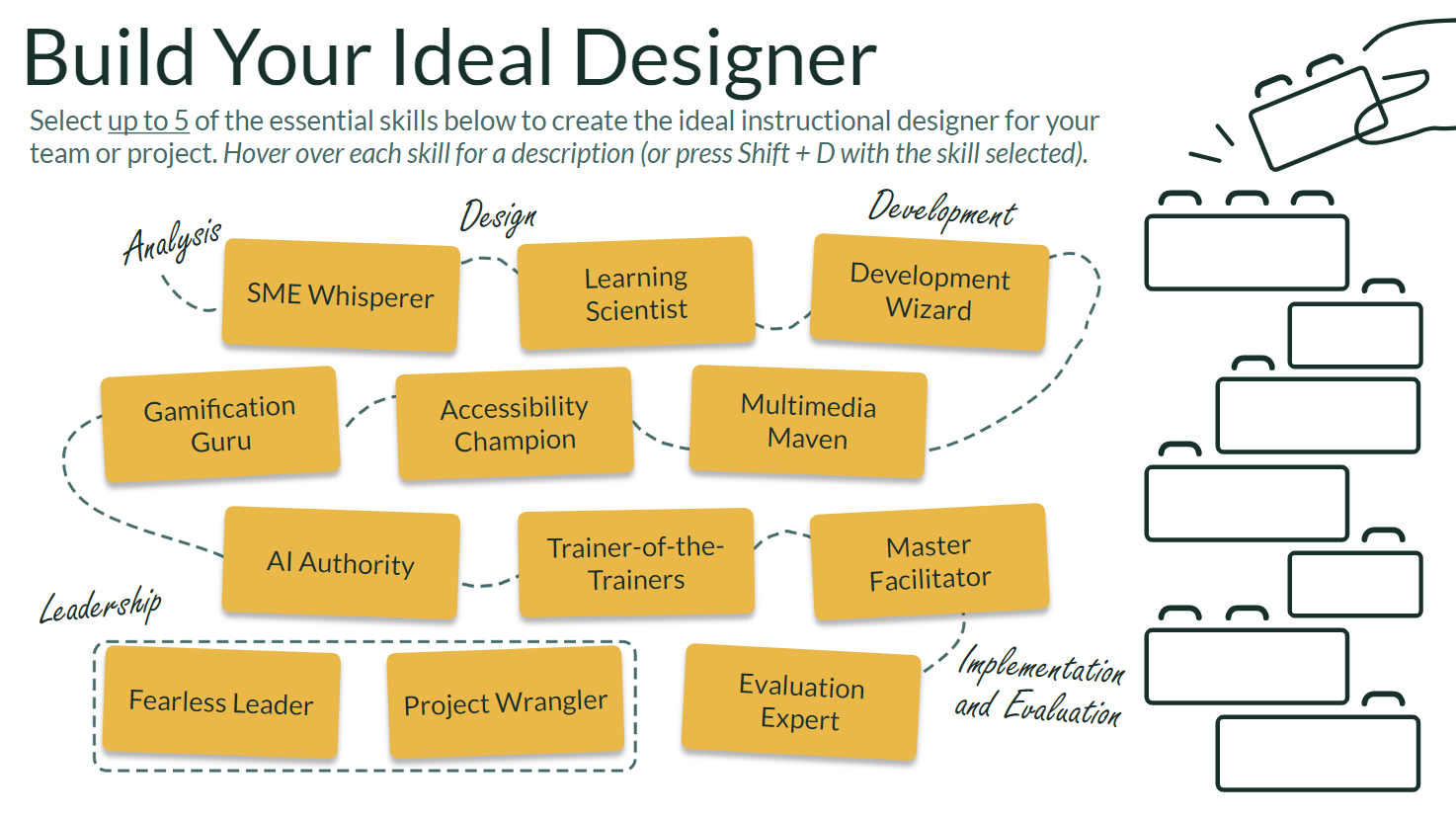
Based on initial research, I identified nine top instructional design skills. Over time, however, the list grew to 13. This created a couple of problems:
- Graphic design inflexibility. I quickly realized that my initial graphic design concept (see above) did not allow for easy modification to the number and order of skills. I eventually replaced it with something simpler, but more future-proof.
- Accessibility challenges. I needed a way to display all of the skills (and skill descriptions) on one page, while keeping the buttons and text large enough to be accessible on mobile devices. My solution was to deactivate the Storyline player to maximize screen real estate and use hover states to display skill descriptions. Only much later did I discover that 1) deactivating the player also removes access to the accessibility controls menu and 2) hover states don’t work on mobile devices/are inaccessible to screen readers and keyboard users (see Step 2 for my creative solutions to these challenges).
Step 2: Create two-step skill selection interaction
Accessibility Solutions. In deactivating the player and using hover states, I created a number of accessibility problems. This setback became an excellent learning opportunity, however, encouraging me to design and implement the following creative solutions:
- Recreated the accessibility controls menu using triggers, built-in variables, and custom buttons/states.
- Created a mobile version of the Fit Calculator with a custom “double tap” interaction (hover state alternative) that displays the skill description on the first tap and selects the skill on the second tap.
- Used keyboard press triggers to allow keyboard users to access skill descriptions by focusing on a skill and pressing Shift+D.
- Added skill descriptions to the alternative text for each button to make them accessible for screen readers/visually impaired users.
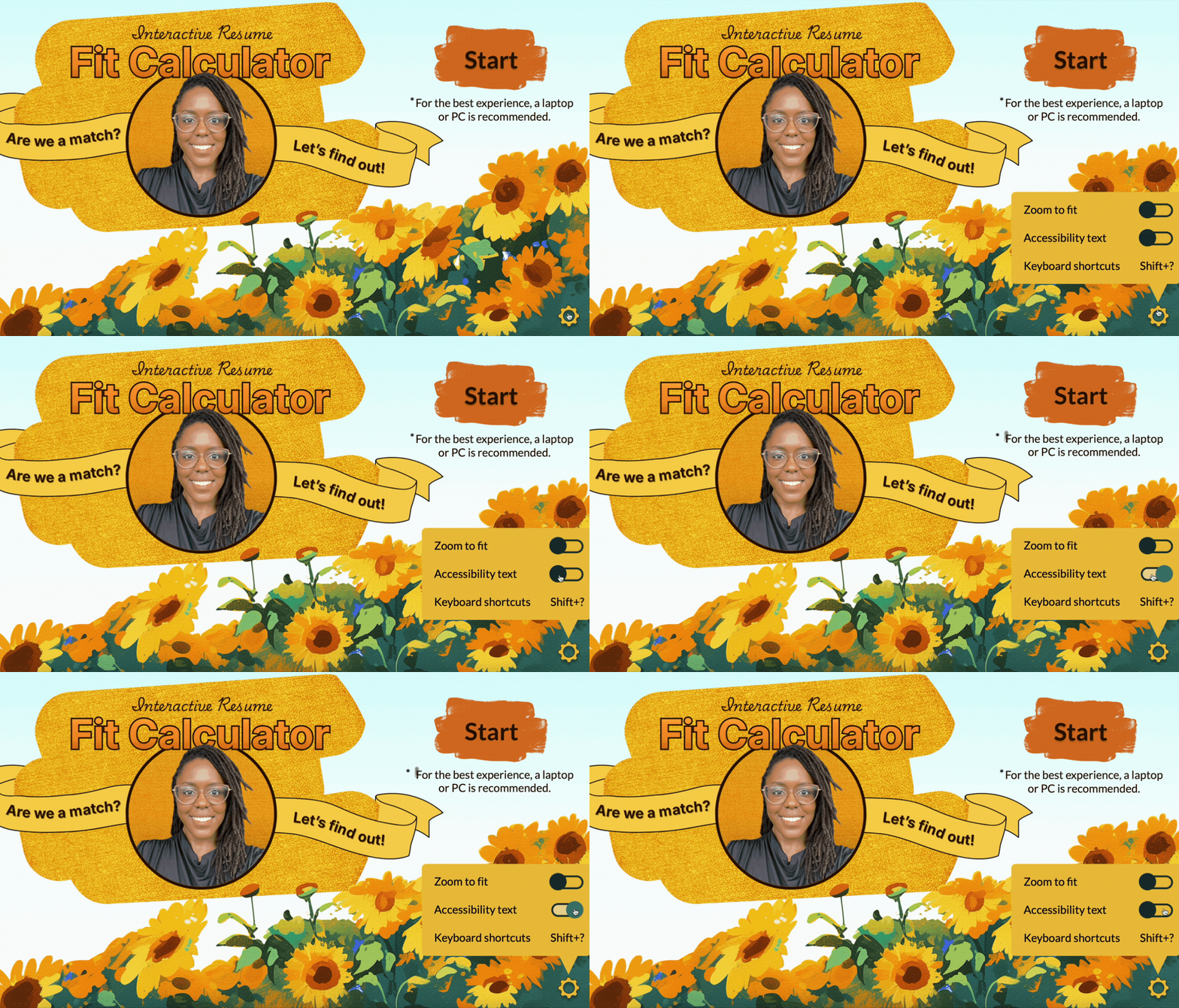
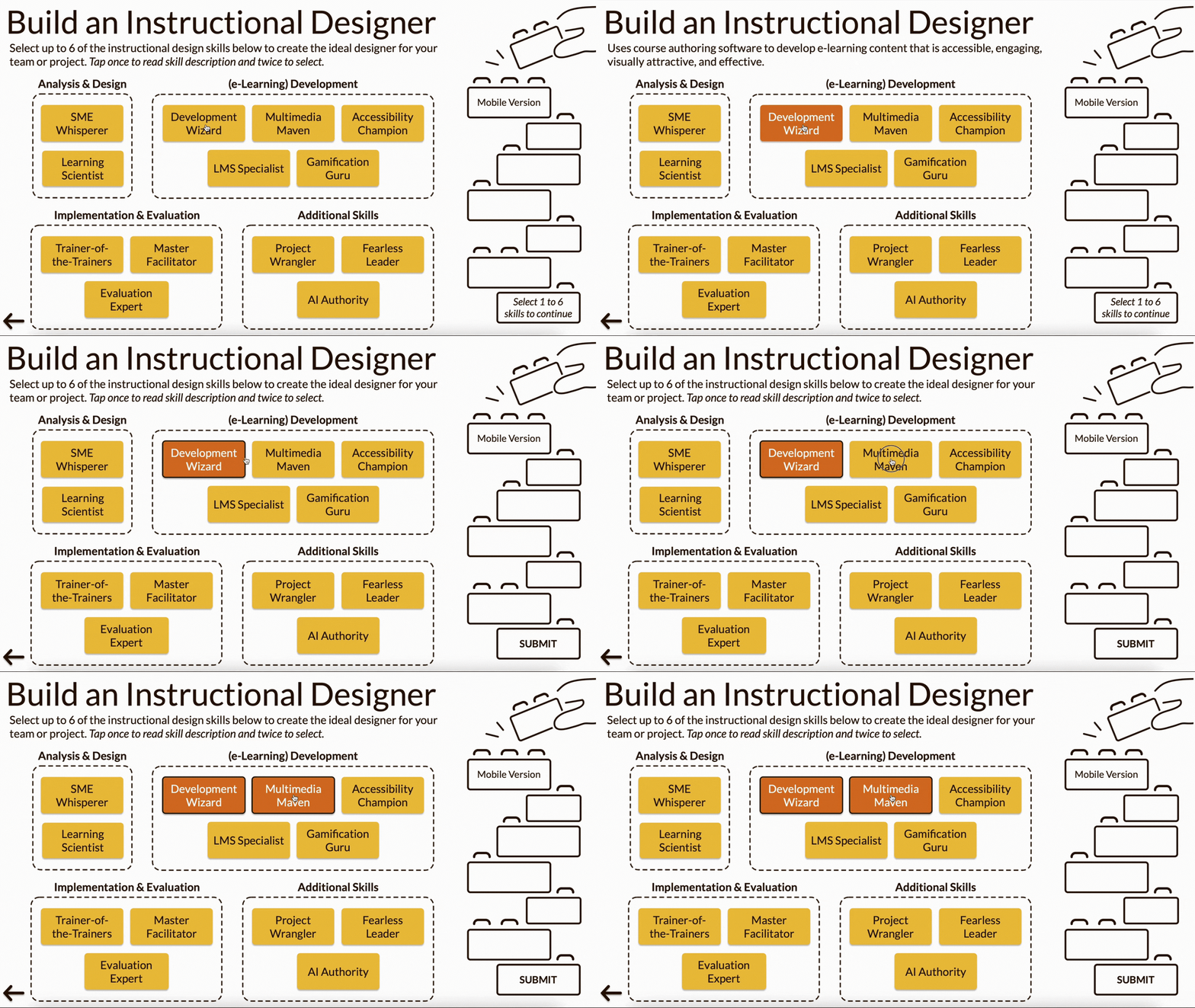
Intuitive Design. To create a two-step skill selection interaction that felt intuitive, I needed a way to register which skills users selected in Step One (identify up to six necessary skills) and present only those skills for users to choose from in Step Two (identify up to three critical skills).
Adding to the difficulty, I wanted users to be able to go back and modify their selections in Step One without having to start over completely. I accomplished this with a number of layers and triggers.
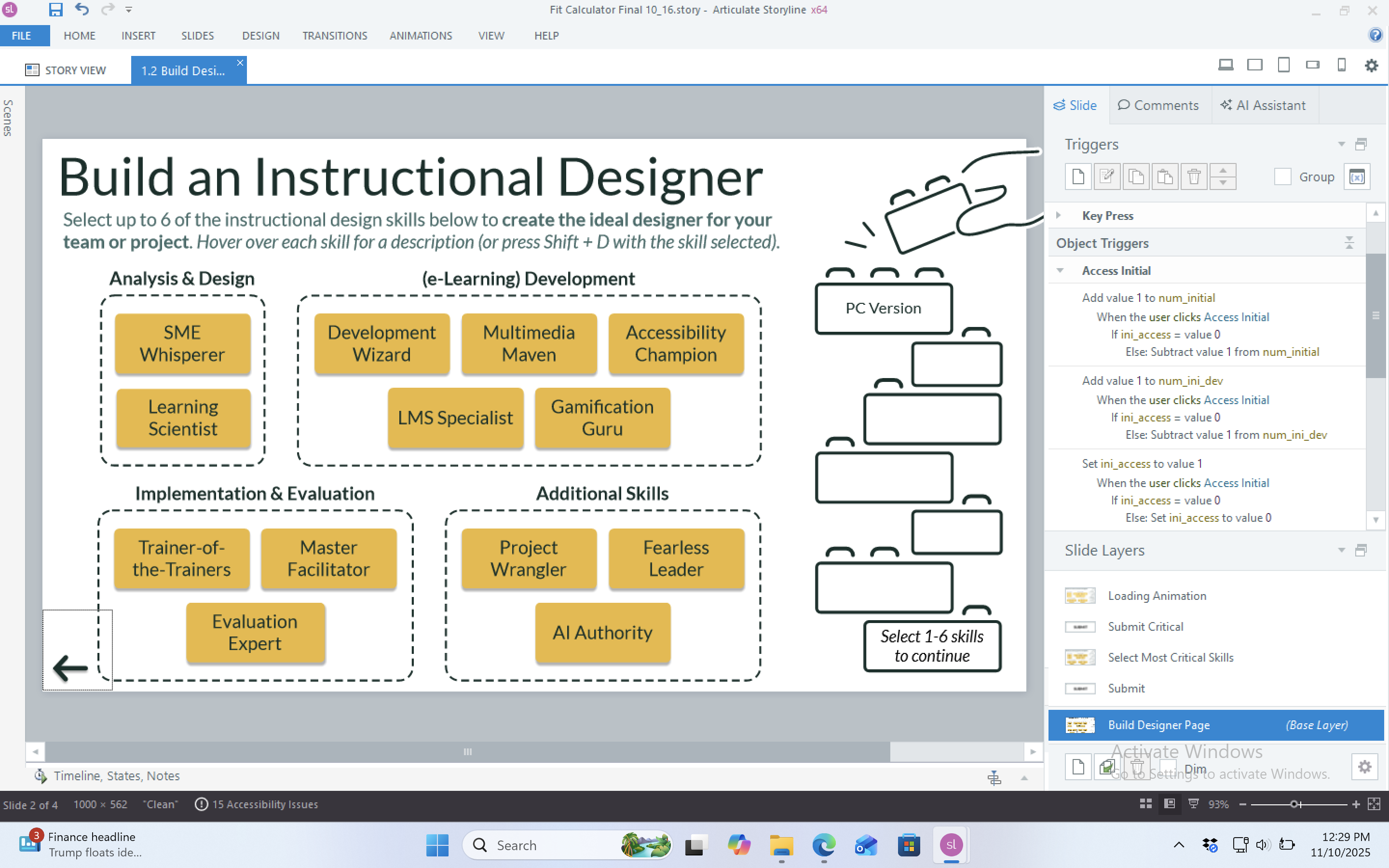
Step 3: Generate personalized results page
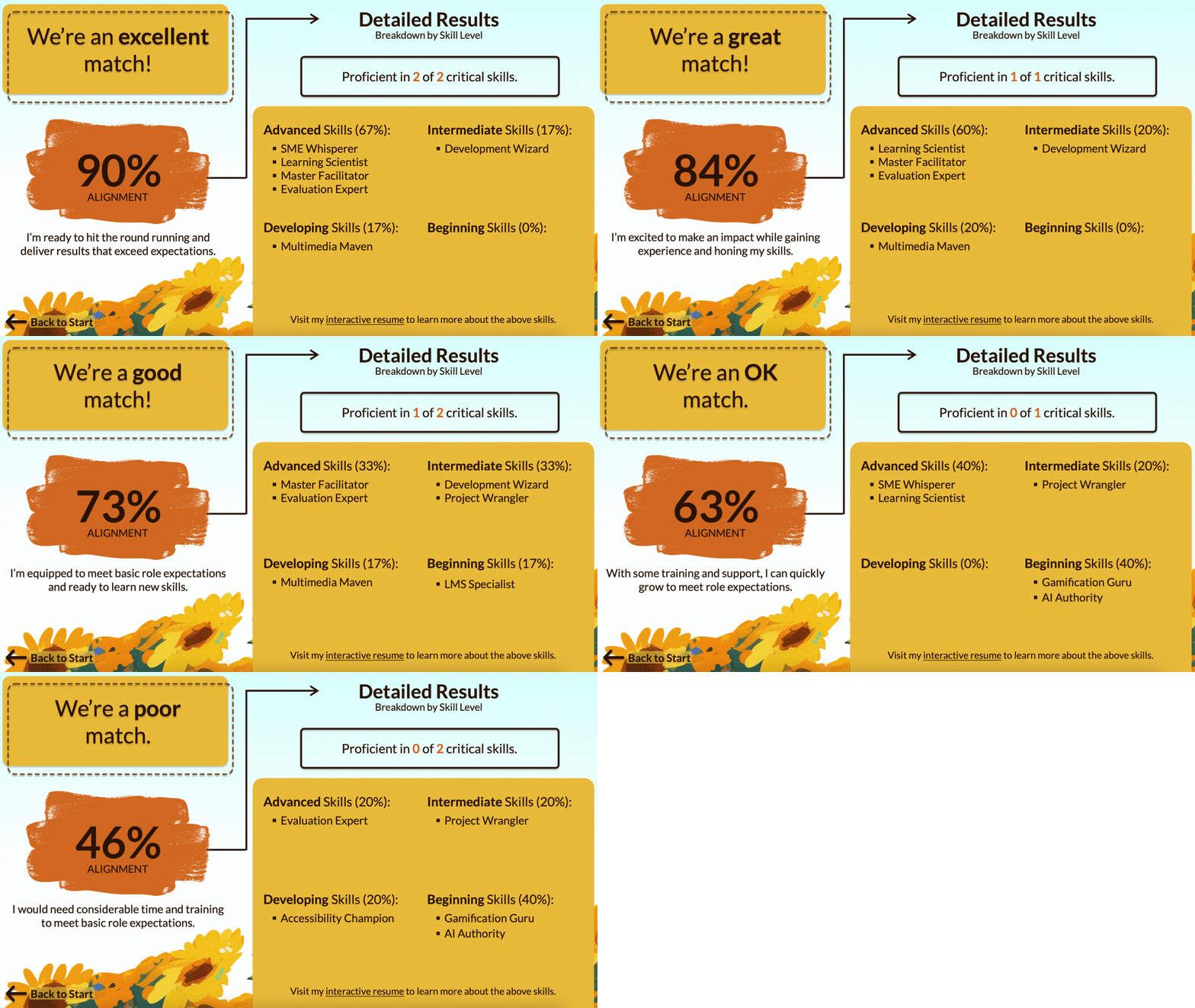
Percent Match Score. To calculate the percent match, each skill is assigned a weight based on my level of proficiency in the skill (advanced, intermediate, developing, beginning) and whether the skill was designated by the user as “critical”. For example, if selected, the Development Wizard skill (intermediate proficiency) would receive either a weight of 80 (non-critical) or 60 (critical). These weights are then summed and divided by the total number of skills selected by the user. While simple, programming this equation into Storyline required the creation of many variables and triggers, including a custom Javascript trigger to specify the number of decimals displayed on the results page.
Detailed Results. The detailed results section presented a fun design challenge. My goal was to create bulleted lists for each proficiency level that would “grow/shrink” depending on which (and how many) skills the user selected. Executing this vision was surprisingly tricky given that the placement of a particular skill on the list would depend on which other skills had been selected. For example, Evaluation Expert might be the first bullet on the Advanced Skills list (if no other advanced skills were selected by the user), but it could also be the fourth bullet (if all four advanced skills were selected). Programming this functionality into Storyline involved the advanced use of states, triggers, and text variable references.
Lessons Learned
Implementation Successes
- Custom double tap interaction for mobile users. A search of the Articulate E-Learning Heroes website will reveal that the Articulate 360 Support Team has no solution for designers faced with the limitations of hover/down states on mobile or the lack of a proxy for the “double-click” interaction. Their guidance is simply to avoid these states/interactions altogether. In creating a functional work-around through the custom “double tap” interaction, I’ve drastically expanded the possibilities for mobile-accessible interactions in my Storyline courses.
- Creative accessibility solutions. In designing each solution, I developed a deeper understanding of related accessibility considerations (e.g., alternative text best practices, accessible language, establishing a meaningful focus order) and gained greater insight into how individuals with disabilities experience or engage with e-learning courses.
- Intuitive results page. My goal in designing the results page was to provide easy-to-digest information in a clean and intuitive format. This was accomplished through the application of basic graphic design principles and the advanced use of states, triggers, variables, and variable references.
Improvement/Growth Opportunities
- Improve efficiency. While functional, the Fit Calculator relies on a large number of triggers that had to be manually programmed (and when mistakes were made, reprogrammed), often one by one. For future projects, I would like to make greater use of Javascript to facilitate the process of creating variables, running calculations, and programming repetitive or complex triggers.
- Design with accessibility in mind. I went into this project with very little accessibility knowledge. While my retrofitted accessibility solutions work, they are not always ideal. For example, incorporating skill descriptions into the alternative text for the skill buttons resulted in an alt text length above the recommended limit of 150 characters. For future projects, I intend to design for accessibility from the start.
- Explore other e-learning platforms. I did things a bit backwards for this project by selecting the tool I wanted to use before deciding what I’d be using the tool to create. This was an intentional decision designed to help me meet my learning goals. However, the result was reduced efficiency as I often found myself trying to force Storyline to do things it wasn’t designed to do. For future projects, I would like to explore other e-learning platforms, particularly those that can provide a more app-like experience for mobile users.
 Andrea M. Pope